<img height="1" width="1" style="display:none" src="https://www.facebook.com/tr?id=1245271526753017&amp;ev=PageView&amp;noscript=1">
List
Grid
Carousel
Month
Export Calendar
Export to Google Calendar
Download
Subscribe
Get a copy of our current events calendar. Follow the simple steps below.

Create New Calendar
1. Download the calendar file here: ICS File.
2. Open your Google Calendar.
3. On the left side, see "Add friend's calendar" field.
4. Click the plus (+) icon > click "New calendar" option.
5. Enter 'CGKC' as calendar name.
6. Click the "Create calendar" button.
7. Once created, click the back button.

Import Calendar
1. On the left side, see "Add friend's calendar" field.
2. Click the plus (+) icon > click "Import" option.
3. Select the ICS file we downloaded earlier.
4. Select the calendar name we created earlier.
5. Click 'Import' button.
6. Done!
Receive our event updates automatically. Follow all the simple steps below.

Add Calendar URL
1. Open your Google calendar.
2. On the left side, see "Add friend's calendar" field.
3. Click the plus (+) icon > click "From URL" option.
4. On "URL of calendar" field, copy and paste the following link:


5. Click 'Add Calendar' button. Loading will take 2-3 minutes.
6. After 2-3 minutes, refresh Google calendar.
7. See the left side if your calendar was loaded.


Our Spaces

Courtyard

Surround your guests with seasonal blooms in this garden outdoor space.

Seats up to 120 or Cocktail Style up to 300.

Community Room
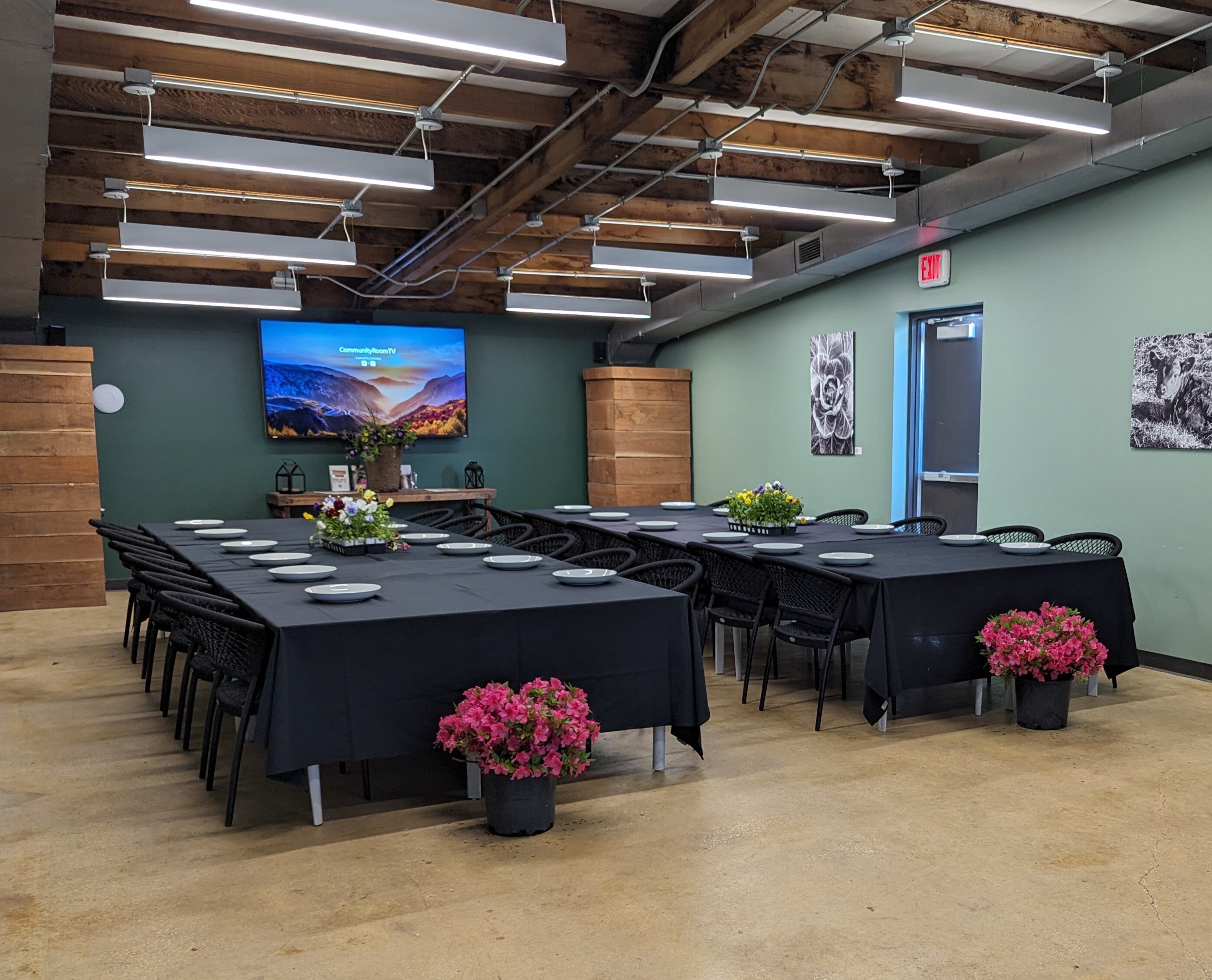
Escape to our intimate Community Room for a baby shower, corporate meeting, Club meeting and more!

Seats up to 45.

Loggia

Perfect for happy hours, casual receptions, private lunches, networking events in this covered outdoor space.

Seats up to 45.

PHOTOGRAPHY SESSIONS

Hang in the Garden

Inquire about our space for a party, event, wedding, etc.!

“*” indicates required fields